
AiMeal
Stop asking "what's for dinner?" Let AI answer it, plus breakfast and lunch, for the whole week in one tap. Every meal arrives with a grocery list that's ready to shop and a recipe that's ready to cook.
See it in action
Deciding is the hard part. So AiMeal decides first.
A family answers "what's for dinner?" about 250 times a year, and the cost isn't just the hour of planning, shopping lists, and recipe tabs; it's carrying the question all day, every day. AiMeal moves the whole decision to one tap on Sunday: the week is planned around rules you set once, the list is sorted the way the store is laid out, and the recipe is waiting at the stove. You get the evening back, and dinner stops being a negotiation.
Five weeknights of "I don't know, what do you want?" and a fridge stared into at 6pm.
↓The week answered in about two minutes, with meals the family already said yes to.
A scribbled list, three forgotten ingredients, and a second trip to the store.
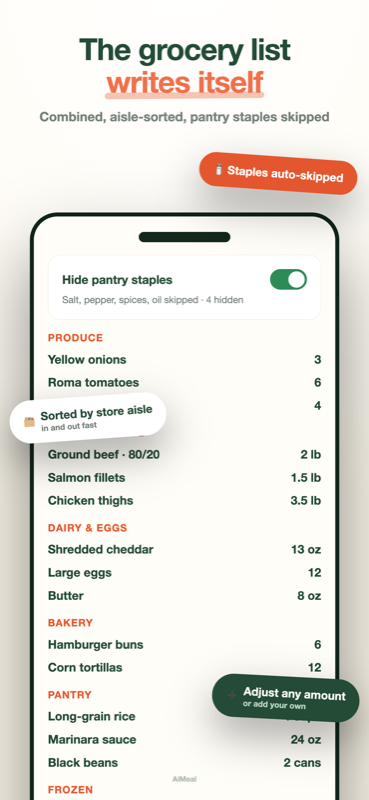
↓Every ingredient across the week, combined, scaled to who's eating, and sorted by aisle.
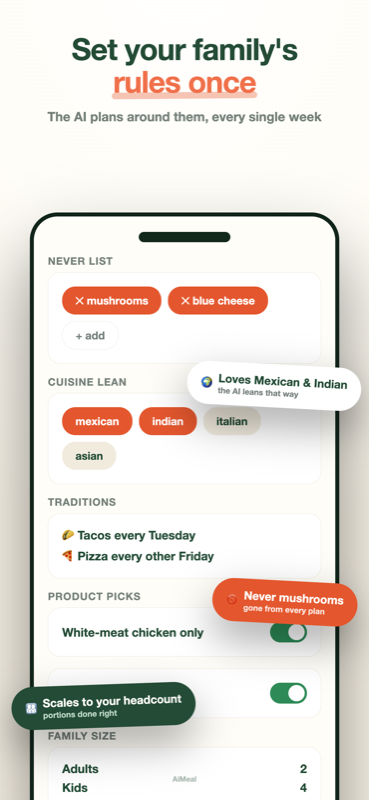
The picky-eater rules that live in one parent's head and get relearned every week.
↓Never-lists, traditions, and product picks written down once and honored every single week.
The 6pm scramble, solved before it starts.
A week of meals becomes one smart list
Every ingredient across the week, combined, scaled to who's eating, and grouped the way the store is laid out.
Example week. Yours is planned around your own family's rules and tastes.
No spreadsheets. No 40 open recipe tabs. No 6pm panic.
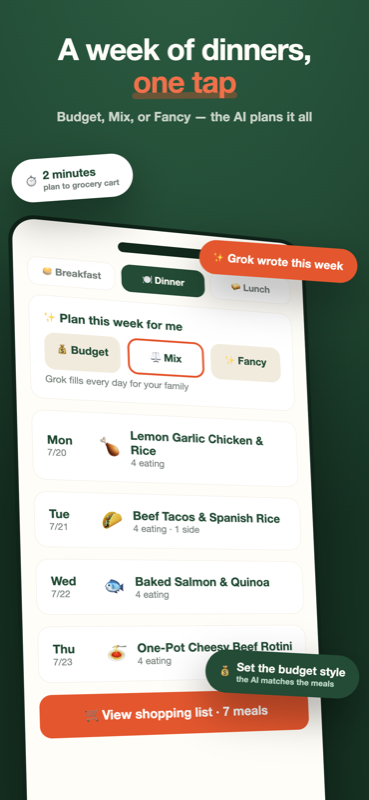
Tap Plan my dinners
One tap, seven nights. Or type any dish in plain English.
Grok plans the week
Every open day filled around your never-list, traditions, and tastes.
The list writes itself
Combined, scaled to who's eating, sorted by aisle, staples skipped.
Shop and cook
To your Kroger cart in a tap, and a recipe waiting at the stove.
Grok plans your week in one tap
Tap Plan my dinners and every open night fills with meals your family actually eats, quick on weeknights. Didn't love the week? Tap again for a fresh one, or Swap a single night. More options adds breakfast and lunch lanes and Budget or Fancy styles.
Type any dish, in plain English
Even "grandma's Sunday gravy." It becomes the ingredients and the exact amounts for your household, and it's saved to your Ideas tab so it can come back next time.
It learns your family fast
Heart the meals you love and they come back, including the ones you typed. Skip the ones you don't and they're gone for good. Add a never-list, set Taco Tuesday, or lean the whole menu Mexican, Indian, or Italian.
A shopping list that thinks
Every ingredient across the week combined and sorted by store aisle. Pantry staples like salt and spices stay off it automatically. Bump amounts, cross off what's in the cupboard, and never see "7.5 eggs."
Every meal comes with a recipe
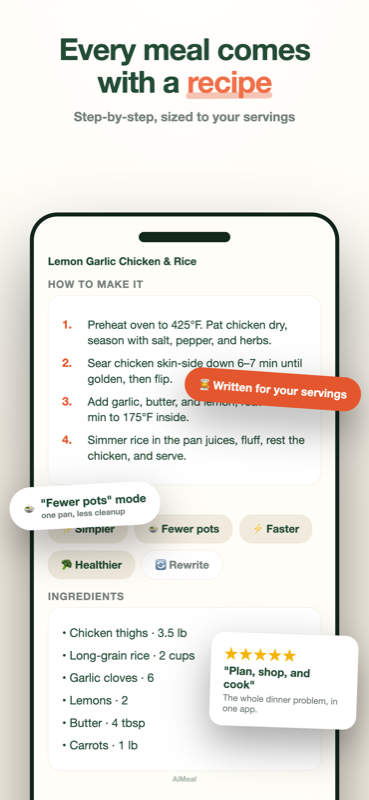
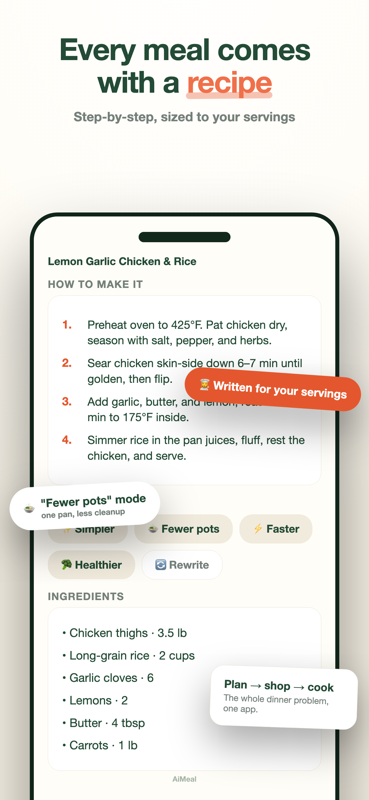
Step-by-step and sized to the number of people eating. One tap makes any recipe simpler, fewer pots, faster, or healthier, so nobody is googling at the stove.
Shop it however you want
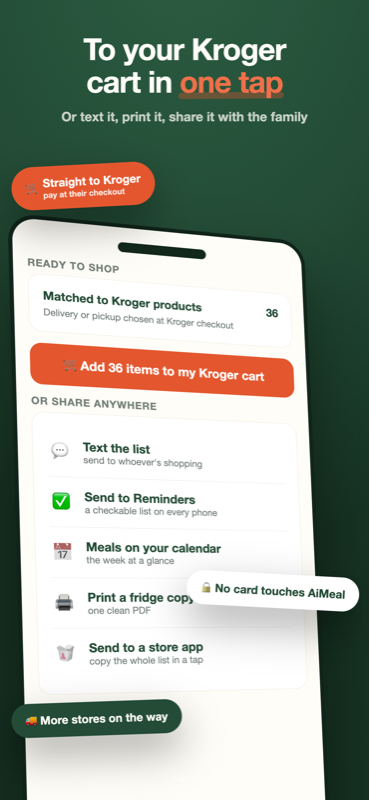
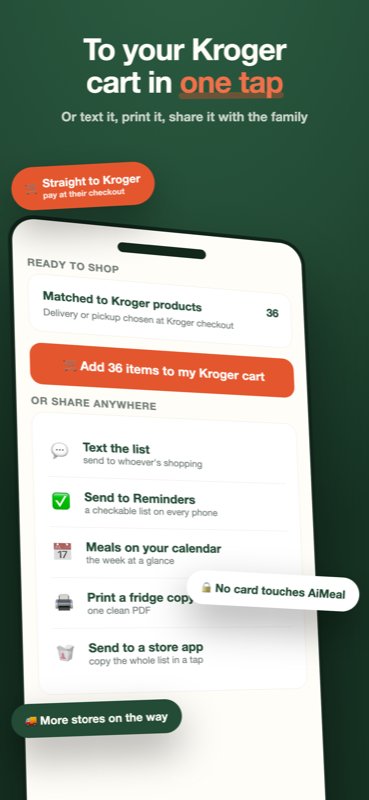
Send the list straight to your Kroger cart, then choose delivery or pickup and pay in Kroger's own checkout. Or text it, print it, drop it in Apple Reminders, or add the meals to your calendar. More stores on the way.
How AiMeal works
The same guide that sits behind the ? in every screen of the app, in one place. Questions the guide doesn't answer: karl@orangedoginvestments.com.
Today
Tonight's dinner
The app opens on one answer. Tap Recipe for the step-by-step and the ingredients, Something else for a different meal that fits your rules, or Not cooking tonight for leftovers or eating out.
Breakfast and lunch too
Tap Breakfast or Lunch at the top of Today to add a card for that meal; tap again to hide it. Each card works the same way: Recipe, Something else, or Skipping today. Any one, two or all three.
It plans itself
Once you have planned a first week, AiMeal quietly fills the nights ahead so tonight always has an answer. With Pro, Grok writes those meals for your family; on the free plan they come from AiMeal's own library of 113 family meals. Swap any night you do not like; nothing is ever locked in.
Tomorrow
Tomorrow's dinner shows under the card, so you know what to pull from the freezer. The full week, with every night editable, is in the Week tab.
Free forever, and Pro
Tonight's dinner, swap and recipe are free every day, from AiMeal's own library. AiMeal Pro puts Grok to work writing meals for your family and adds breakfast and lunch, the week view, the grocery list, Kroger and exports. Your first 3 days include all of it.
Planning the week
Plan my dinners
One tap fills every open night with dinners written by Grok for your family: quick on weeknights (30 minutes or less, Monday to Friday), a little more involved on weekends. Tap it again to plan a different week.
Swap
Trades one night for a different meal that fits your rules. The rest of the week stays exactly as it was.
Family size
Tap Change under the plan button. This week's dinners and the grocery list resize to match, and new weeks use the new headcount automatically.
Add a dinner by hand
Tap any open night and pick from the library, or type anything at all, even "grandma's Sunday gravy". Typed meals are saved and come back as suggestions.
More options
Adds breakfast and lunch lanes, Budget and Fancy styles, filling all three meals at once, the quick-weeknights switch, a lock that keeps a meal when you re-roll, Not cooking for leftovers or eating out, and other weeks. Tap Simple view any time to come back.
Free plan and Pro
Tonight's dinner is free forever, from AiMeal's own library. Grok writing for your family, the week view, the grocery list, Kroger, exports, breakfast and lunch, and unlimited re-plans are AiMeal Pro. Your first 3 days include all of it.
The shopping list
Where the list comes from
Every ingredient from the week's meals, combined across meals and sorted by store aisle, in amounts you would actually buy.
✕ versus + and −
✕ takes a line off this week because you already have it. + and − change the amount. Removed items come back with one tap.
Pantry staples
Salt, spices, oil and the like stay off the list by default. Tap the hidden count to add back any you actually need.
Every week
Things you buy every trip, like milk or butter, land on every list. Set them in Settings, or tap "+ every week" on an item you typed. Cross one off for a week when you are stocked.
Two weeks, one trip
Add next week to this trip merges both weeks into one list; the same ingredient adds up. To change amounts, view one week at a time.
Done shopping and Past lists
After a store run, tap Done shopping. The list files under Past lists, where you can reopen or share it later and tell us how the meals went.
Kroger, share, print
Send the list straight to your Kroger cart and pay in Kroger's own checkout, or text it, print it, or drop it into Apple Reminders. AiMeal never sees your card.
A single meal
Recipe
Every meal from AiMeal's library comes with its recipe built in. With Pro, Grok writes step-by-step directions for any meal, sized to who's eating, and rewrites any recipe simpler, faster, fewer-pots or healthier.
Sides
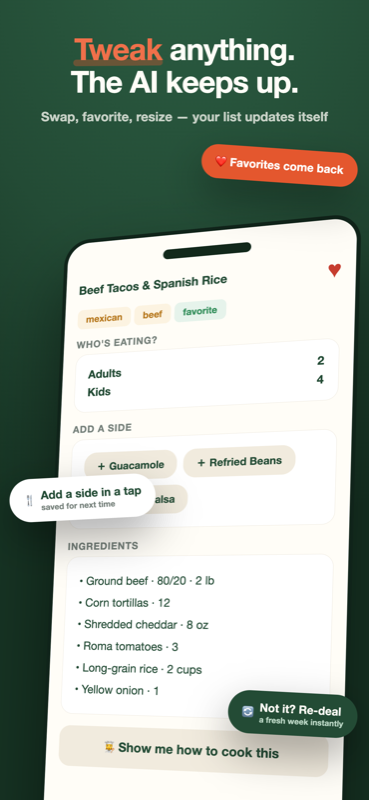
Tap a suggestion to add it; its ingredients join the list. Type your own and it's saved for next time. Edit these suggestions hides the ones you never use, and hearted sides always show first.
Who's eating
Change the headcount for this night only. The grocery list follows.
Pictures
Every meal shows a photo of the dish (or the closest thing to it). Tap Add your photo to use your own picture instead; it stays on your phone and comes back whenever that meal does.
Heart and Save
Heart a meal and it comes back more often. Save keeps a meal with its recipe in your library so it comes back as a suggestion next time.
Not cooking
From the plan (with More options on), mark a night Leftovers or Eating out. It stays on your week and adds nothing to the list.
Settings and privacy
Simple planning
On: dinner only and one Plan my dinners button. Off: the full planner with breakfast and lunch, styles, keep-and-re-roll, Not cooking nights and other weeks.
Meal rules
The never-list ("no mushrooms"), cuisine leans, traditions like Taco Tuesday, and product picks like 80/20 beef. They shape every plan and every list.
Weekly reminder
One local notification a week on the day you choose, so next week is planned before Monday. No other notifications, ever.
AI and privacy
AI planning is opt-in. With your OK, AiMeal sends Grok (by xAI) the dish names you type, your style and family size, and your food preferences to write your meals. Nothing is stored or linked to you. Say no and the built-in offline planner takes over.
Kroger account
You sign in to Kroger the first time you send a list. Disconnect any time here; sending again just asks you to sign in.
No account. No sign-up. No tracking.
Your plans, rules, favorites, and grocery lists are stored on your device. AI planning is opt-in: AiMeal asks before anything is sent, and says exactly what goes out. Say no and it keeps planning with its built-in offline planner. AiMeal never sees your card, and paying always happens in the store's own checkout.
The 6pm scramble, solved before it starts
Planning by hand, the grocery list, exports and Kroger are free forever. AI planning is free for your first 14 days, then one AI-planned week every month. AiMeal Pro makes AI planning unlimited: $4.99/month or $39.99/year, auto-renewing, cancel anytime. US only at launch.